How to accept USDT TRC20 payments
What accepting USDT on TRON (TRC20) involves for a business: why it is the most common stablecoin rail, how a payment flows, and the mistakes to avoid.
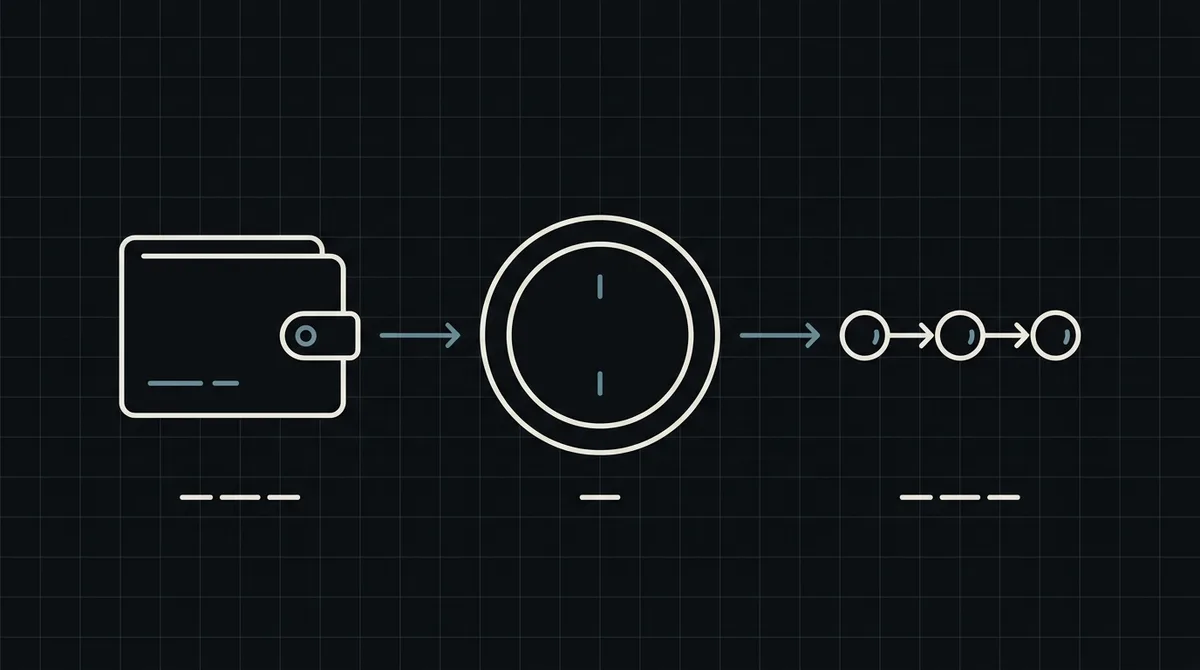
USDT on the TRON network, known as USDT TRC20, is the stablecoin rail most customers already use to pay and be paid. Accepting it is less about the coin and more about three practical questions: how the customer pays, how your system learns that the money arrived, and what to do when something goes slightly wrong. This guide answers them.
What USDT TRC20 actually is
USDT is a stablecoin issued by Tether and meant to track the US dollar. It exists on several blockchains, and the network decides how a transfer behaves. TRC20 is the standard for tokens on TRON. A USDT TRC20 address starts with the letter T, and a transfer is a TRON transaction.
Why it is so common among customers:
- transfers are cheap compared with many other networks, which matters for small and medium orders;
- most exchanges and wallets support withdrawals in this network, so it is the default for many buyers;
- the amount is a dollar amount, so neither you nor the customer carries price swings between order and payment.
For you as a merchant, the practical consequence is that a large share of customers who say "I pay in USDT" mean USDT on TRON. Not offering it makes you harder to pay.
The network is part of the payment
The same coin on a different network is a different payment. USDT on TRON, on Ethereum (ERC20) and on BNB Smart Chain (BEP20) use different addresses and different rails, and funds sent on the wrong one do not arrive where the sender expects. This is the most expensive mistake in stablecoin payments, and it is made by customers, not by merchants.
What helps:
- let the payment page, not your checkout text, define the network: the customer chooses the asset and network there and gets the matching address;
- say clearly on your checkout which networks you accept (see the supported coins);
- if you want to steer everyone to TRON, pass the payment method of USDT TRC20 when you create the payment, so the page opens with it already selected.
Qvard supports TRON (TRC20), Ethereum (ERC20) and BNB Smart Chain (BEP20) among its networks. Offering several networks is not a bad thing, but each extra choice is another chance for a customer to pick one by habit and pay on a different one than they intended; the payment page shows the network and the address together to keep that visible.
How a USDT payment flows
The path from order to paid:
- The customer chooses to pay with crypto and your server creates a payment for the order.
- The gateway returns a hosted payment page. Your customer picks USDT and the TRC20 network and sees the address and the exact amount.
- They send the amount from their wallet or exchange. The exchange rate on the page is fixed for one hour, so the amount does not change while they pay.
- The gateway watches the TRON network. When the full amount has arrived and the payment is final, it calls your webhook.
- Your system marks the order as paid.
You never generate TRON addresses or run a node. Creating the payment takes one request: a POST to https://api.qvard.com/api/v1/payment with the x-api-key header and a body with your order id and the price in US dollars. The step-by-step version with code is in how to accept crypto payments on a website.
Fees: who pays what
Three different costs get mixed up, and it helps to separate them.
- The network fee of the transfer. The person who sends USDT on TRON pays for the transaction in the network's own resources (TRX or energy). That is the customer's cost when they pay you. Your price does not need to include it, though a customer paying from an exchange may have a withdrawal fee deducted from what they send.
- The gateway commission. Per the pricing page it is individual to your project, starting at 1% and, by agreement, down to 0.1%. There is no subscription fee.
- The network fee when you withdraw. Withdrawing your balance to your own wallet costs only the network fee.
The point that matters at checkout is the first one: if a customer sends less because an exchange took a fee out of the amount, the payment is short, not complete.
Short payments and other edge cases
A payment ends in one of four statuses: wait (created), partial (less than required arrived), completed (the full amount arrived) and rejected. Only completed triggers the webhook.
For USDT TRC20, the realistic problems are:
- Underpayment from an exchange. The withdrawal fee was subtracted from the amount. The status is
partial. Decide in advance whether you ask for the difference or refund the customer, and tell the customer on the order page. - Payment after the rate window. The rate is fixed for one hour. If the customer pays much later, treat the case as support work rather than building automation for it.
- Wrong network. The customer paid on a different network than the page showed. This needs a manual look and cannot be fixed by code; keep a clear support contact on the payment flow.
Make the order handler idempotent, because the webhook is retried until your endpoint answers exactly HTTP 200, and compare the x-api-key header with your key. More on this in how to secure crypto payment webhooks.
What to set up first
A short order of work that gets you to a working USDT TRC20 checkout:
- Create an account and a project, and get your API key.
- Look at a demo invoice to see what your customer will see.
- Add the payment creation call to your checkout, with your order number as the
id. - Add the webhook endpoint, save its address as the callback URL, and mark orders paid only on
completed. - Pay a small real amount in USDT on TRON and check the whole path, including a withdrawal to your wallet.
A separate sandbox is on the roadmap, so use small real amounts for now. The developer documentation has the exact request and response formats.
What you can withdraw to
Funds from payments sit on your Qvard balance and you withdraw them to your own crypto wallet; the cost is the network fee. Withdrawal to a bank account in fiat is not available, so plan on a crypto exit, for example to an exchange you already use, if you need to convert to cash.
FAQ
What does TRC20 mean?
TRC20 is the token standard on the TRON blockchain. USDT TRC20 is Tether's dollar stablecoin on that network, with addresses that start with the letter T.
Which networks can my customers pay on?
Qvard supports TRON (TRC20), Ethereum (ERC20) and BNB Smart Chain (BEP20), among others. The customer picks the asset and network on the payment page, or you can preselect a payment method when you create the payment.
What if my customer sends USDT on the wrong network?
Funds sent on a different network from the one shown on the payment page do not arrive as expected and need manual handling. Make the network visible at checkout and keep a support contact on hand.
Who pays the TRON network fee?
The sender pays the fee for the transfer. When you withdraw your balance to your wallet, the withdrawal costs only the network fee.
Can I withdraw to a bank account?
No. Withdrawal is to a crypto wallet. Withdrawal to a bank account in fiat is not available.