JavaScript crypto payment example: a working flow today
JavaScript crypto payment example: a working flow with the live v1 API, a server call and a webhook, plus the planned SDK call marked as roadmap.
This JavaScript crypto payment example shows a flow that works today: the server creates a payment with the live v1 API, the browser is redirected to the hosted page, and the webhook confirms the order. The Low-Code SDK call shown at the end is a roadmap preview only.
The flow in four steps
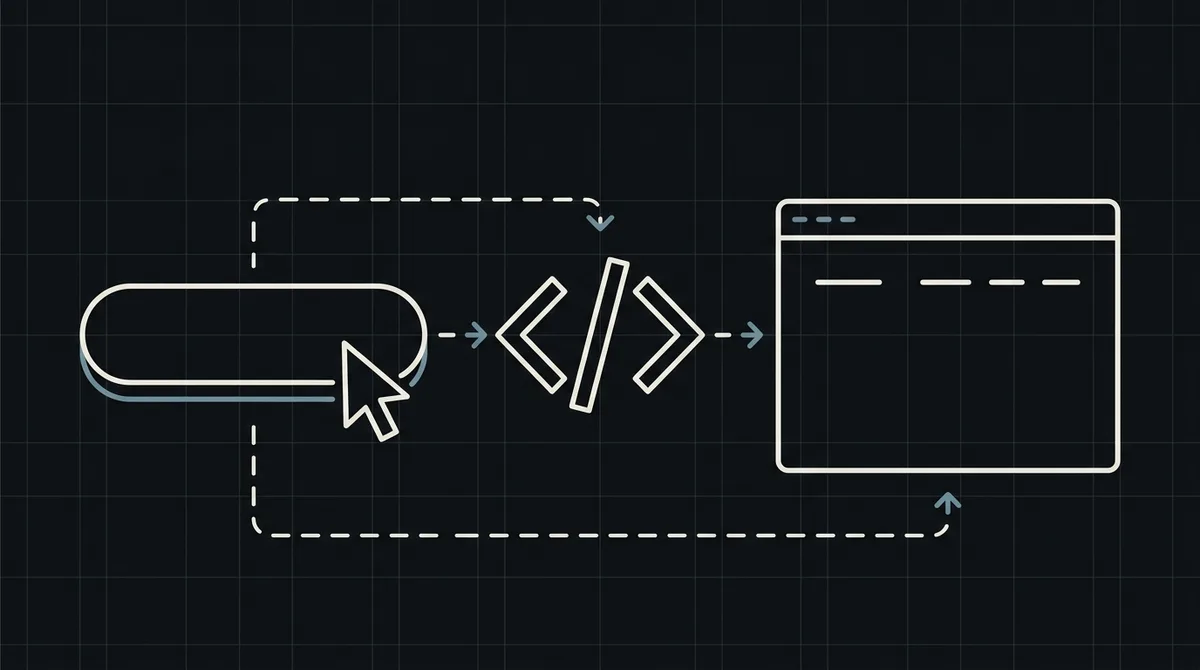
The customer clicks pay, your server creates the payment, the browser goes to the redirectUrl, and the webhook confirms the final status. Each step is a plain HTTP call or a redirect, so the example needs no special library.
The server call in JavaScript
A Node.js handler sends POST /api/v1/payment with the x-api-key header, the order id and the price in USD, then returns the redirectUrl to the browser. The key never leaves the server.
x-api-key: sk_live_…

{
  "id": "order_1024",
  "price": 149.99,
  "paymentSystemId": 12
}

// 201 Created
{
  "data": {
    "id": "8f3k2a1c",
    "redirectUrl": "https://my.qvard.com/pay/8f3k2a1c"
  },
  "code": 201,
  "message": "success",
  "status": true
}
The browser side
The page only needs a button that calls your handler and then follows the returned redirectUrl. There is no key and no amount logic in the browser.
The webhook handler
The webhook endpoint reads id and status, checks the x-api-key header and marks the order as paid when the status is paid. Make the handler safe to repeat, because the same message can arrive twice.
x-api-key: sk_live_…

{ "id": "order_1024", "status": "paid" }
The planned SDK call
The Low-Code SDK on the roadmap is expected to open the same flow from the page with one call. This is a preview of an unreleased API, shown for orientation only, and it must not be used in production.
Test before going live
Create a demo invoice, pay it on the hosted page and confirm that your webhook receives the final status and marks the order.
// ROADMAP preview: the SDK is not released yet.
QvardCheckout.open({ amount: 149.99, currency: "USD", orderId: "order_1024" });
FAQ
Does this example use an SDK?
No. The working flow uses plain HTTP calls and a redirect. The SDK call is a roadmap preview only.
Can I use the QvardCheckout.open() call in production?
No. The SDK is not released yet. Use the API, the redirectUrl and the webhook.
Where should the API key live?
On the server only. The browser receives just the redirectUrl.
How do I know the payment is complete?
Only when the webhook delivers the id and the status paid.