Crypto payments for ecommerce
How an online store can add crypto as a payment method: where it fits at checkout, order statuses, partial payments, refunds, accounting in dollars and what is ready today.
For an online store, crypto is an extra payment method next to cards, not a replacement. It reaches customers whose cards do not work for your shop, removes card chargebacks and lets you receive dollar stablecoins. This guide covers where it fits in the checkout, how to map payment statuses to order states, how to handle the awkward cases and what is, and is not, ready in Qvard today.
What crypto adds to a store, and what it does not
Be specific about what you expect, because crypto is not a growth switch.
- Customers your card rails miss. Buyers whose bank cards are declined for foreign shops, or who are in countries your processor does not serve, can still pay with a dollar stablecoin.
- No card chargebacks. The sender cannot reverse a crypto transfer, so disputed card payments are not a risk for these orders. A refund becomes a transfer you decide to send.
- Cross-border sales without card friction. The same payment page works for a customer anywhere.
- A modest share of orders. Treat it as an additional option on the checkout page. In most stores it will not replace cards, and it should not be allowed to complicate the card flow.
If you sell digital goods, read crypto payments for digital goods stores; the delivery rules there apply to any instant product.
Where it fits in the checkout
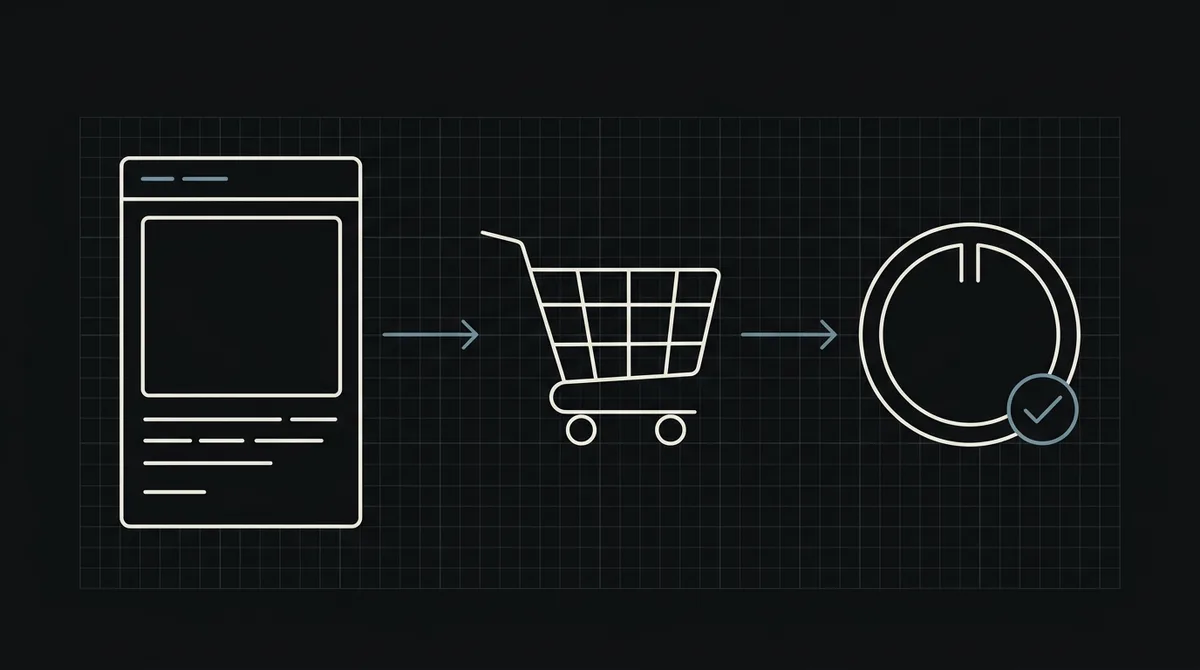
Add "Pay with crypto" as one more payment method, next to the existing ones, not as a separate store. A clean placement:
- The customer fills in the cart and the address as usual and picks "Pay with crypto".
- Your server creates the order in a pending state and a payment for it.
- You redirect the customer to the hosted payment page, where they choose an asset and network and pay from their wallet.
- When the payment completes, your server gets a webhook and moves the order forward.
Show the price in your store currency and charge in US dollars: the payment is created in dollars, and the customer pays the equivalent in the asset they choose, at a rate fixed for one hour. If your store is not priced in dollars, convert the order total before creating the payment.
Create the payment and use your order number
Create the payment from your backend with one POST to https://api.qvard.com/api/v1/payment. The request carries your key in the Authorization: Bearer header and a JSON body with the order number as id, the amount as price in US dollars, and optionally a paymentSystemId to open the page with an asset and network already selected. The response is 201 with a redirectUrl.
Use your own order number as the id: it comes back in the webhook, so it is the key that ties the payment to the order. If the request is repeated with the same id for the same payment method you get the existing payment, so a double click or a retried request does not create two. The full walkthrough with code is in how to accept crypto payments on a website.
Map payment statuses to order states
A payment has four statuses, and your order needs a clear rule for each:
wait: the payment is created and the customer has not paid. The order is waiting for payment.partial: less than the full amount arrived. Hold the order, tell the customer how much is missing and let them send the rest, or cancel and refund.completed: the full amount arrived. This is the status that triggers the webhook, and the only one that should release goods.rejected: the payment was rejected. Offer another way to pay.
The example shows the mapping as a small table. Two rules keep it safe: never move an order from paid back to an earlier state, and never fulfil on anything except completed. The webhook handler must also be idempotent and answer exactly HTTP 200; see how to secure crypto payment webhooks.
// Qvard payment status -> your order state. Only "completed" releases goods.
const ORDER_STATE = {
  wait:      'pending_payment',   // created, the customer has not paid yet
  partial:   'on_hold',           // less than required arrived: ask for the rest or refund
  completed: 'paid',              // full amount arrived: start fulfilment
  rejected:  'payment_failed'     // rejected: offer another way to pay
};

function nextState(current, qvardStatus) {
  const target = ORDER_STATE[qvardStatus];
  if (!target) return current;                    // unknown status: change nothing
  if (current === 'paid') return current;         // never move a paid order backwards
  return target;
}
Partial payments, expired orders and refunds
These are the cases that cost stores time:
- Customers who pay less. An exchange withdrawal fee is often taken out of the amount, so the payment arrives short. Decide whether you ask for the difference or refund, and show it on the order page.
- Customers who pay late. The rate is fixed for one hour. For a payment that arrives long after the order was abandoned, treat it as a support case instead of automating it.
- Stock. If you reserve stock for unpaid orders, release it when the order expires.
- Refunds. A crypto payment cannot be pulled back by you either; a refund is a transfer you send to the customer's wallet. Put the rule in your terms and ask for the refund address from the customer, not from the payment.
- The return trip. Return URLs after payment are not available yet, so the customer comes back to your site on their own. Give them an order page that shows the real status rather than a thank-you page that assumes success.
Pricing, fees and accounting
Keep the money side simple.
- Price in dollars, charge in dollars. Record the order value in dollars at the time of the order and keep the payment
idnext to it for reconciliation. - What it costs. There is no subscription fee. The commission is individual to your project and, per the pricing page, starts at 1% and can go down to 0.1%.
- Getting money out. The funds sit on your Qvard balance and you withdraw them to your own wallet; the withdrawal costs only the network fee. Withdrawing to a bank account in fiat is not available, so if you need cash, plan an exit through a service you already use.
- Taxes and bookkeeping. The treatment of crypto receipts depends on your country; check it with your accountant before you launch.
What is ready today
Qvard works through its API: your store creates the payment and receives the webhook. There is no ready-made plugin for store platforms yet, payment links and a separate sandbox are in development, and customers return to your site on their own. If your platform is WordPress, see WordPress crypto payments for working code. For the accepted assets and networks, see the supported coins; for the request formats, the developer documentation; and to see what your customer will see, open a demo invoice.
FAQ
Will crypto replace cards in my store?
No. It works best as an extra payment option for customers whose cards do not work for your shop or who prefer stablecoins. Keep the card flow as it is.
When should I mark an order as paid?
Only when Qvard sends the webhook for the completed status. A customer returning to your site is not proof of payment, and a partial status means less than required arrived.
How do refunds work with crypto?
A crypto payment cannot be reversed by the sender, so a refund is a transfer that you send to the customer's wallet. Define the rule in your terms and get the refund address from the customer.
Is there a plugin for my store platform?
Not yet. Today the integration is through the API: one request creates a payment and one webhook receives the result.