Stablecoin payments for B2B invoices
How to let business customers pay invoices in stablecoins: choosing the network, one payment per invoice, who bears fees, short payments, reconciliation and what to agree in advance.
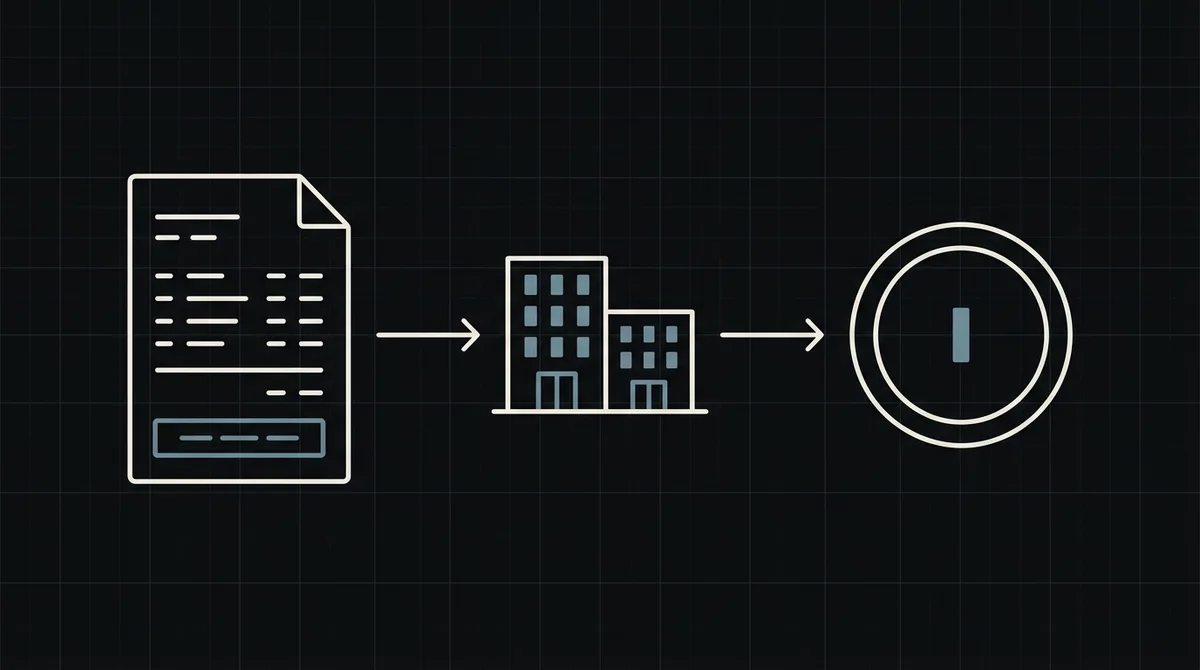
Business customers pay invoices, not shopping carts. They want an invoice number, an exact amount, a confirmation and a record for accounting. Stablecoins fit this well: a dollar amount arrives in minutes, on any day, without correspondent banks. This guide shows how to accept stablecoins against invoices, what to agree with the customer in advance and how to reconcile the result.
Why business customers pay invoices in stablecoins
The reasons are practical, not ideological:
- Cross-border invoices without bank friction. A transfer between countries through banks can take days and lose money to intermediary fees. A stablecoin transfer arrives in minutes.
- Dollar amounts that stay dollar amounts. USDT and USDC track the US dollar, so the invoice is not exposed to a price swing between issue and payment.
- It works on weekends. There is no banking cut-off.
- Counterparties who already hold stablecoins and prefer to pay from them rather than convert first.
The limit is just as practical: both sides need to be comfortable with crypto, and the customer's finance team needs a clear process. For a SaaS-specific view, see crypto invoicing for B2B SaaS.
Pick the asset and network, and say it on the invoice
On the same coin, the network is part of the payment. USDT on TRON (TRC20), on Ethereum (ERC20) and on BNB Smart Chain (BEP20) are separate rails, and funds sent on the wrong one do not arrive where the sender expects. In B2B this matters more, because amounts are larger.
- Fees differ. Transfers on TRON are usually the cheapest for the sender; Ethereum is usually the most expensive. For a large invoice the difference is small, for a small one it is not.
- The customer may be restricted to one network by the platform their company uses.
- Let the payment page decide. The customer picks the asset and network there and gets the matching address and exact amount. If you want to steer them, pass a payment method when you create the payment, so the page opens with it selected.
Write on the invoice which assets and networks you accept (see the supported coins) and that payment must be made on the network chosen on the payment page.
One payment per invoice
The cleanest mapping is one Qvard payment for each invoice. From your backend, send one POST to https://api.qvard.com/api/v1/payment with your key in the Authorization: Bearer header and a JSON body:
id: your invoice number, as a string. It comes back in the webhook.price: the invoice amount in US dollars.paymentSystemId(optional): a payment method from your project.
The response is 201 with a redirectUrl, the address of the hosted payment page. Put that link in the invoice email or PDF next to the usual bank details, so the customer can choose how to pay. Repeating the request with the same id for the same payment method returns the existing payment, so a re-sent invoice does not create a second one.
The exchange rate on the payment page is fixed for one hour, so the amount the customer sees does not move while they pay. If an invoice is paid days later, open a new payment for it instead of reusing a stale page.
Fees and short payments: agree in advance
The classic B2B argument is about who pays the cost of getting the money across. Settle it in the terms, not after the fact.
- The network fee of the transfer is paid by the sender. Your invoice should state that the amount due is the amount that must arrive, not the amount sent.
- Exchange withdrawal fees. A customer paying from an exchange often has a withdrawal fee deducted from what they send, so the payment arrives short. Put this in writing and ask the customer to account for it.
- The partial status. If less than the full amount arrives, the payment gets the
partialstatus and no completion webhook is sent. Keep the invoice open, tell the customer how much is missing and let them pay the difference. - Overpayment. Decide in advance how you handle a customer who sends more: credit against the next invoice or refund.
Do not mark the invoice paid on anything but the completed status.
Reconciliation and accounting
Finance teams will ask for a trail. Give them one.
- The webhook is sent when the payment is completed, with your invoice number as the
idand the status. Mark the invoice paid when you receive it. The endpoint must answer exactly HTTP 200 (otherwise it is retried: five attempts over about six minutes) and be safe to run twice. See how to secure crypto payment webhooks. - Record in dollars. The invoice amount is in dollars, so book the receipt at that value and keep the payment
idnext to the invoice. - A daily check. Compare the invoices you consider paid with the payments and balance in your Qvard cabinet.
- Resending. If your server missed a notification, resend it for that payment from the cabinet.
How crypto receipts are treated for tax and accounting depends on your country and your customer's. Check it with your advisers before you launch.
Getting the money out
Funds from invoices sit on your Qvard balance. You withdraw them to your own crypto wallet, and the withdrawal costs only the network fee. There is no subscription fee, and the commission is individual to your project; per the pricing page it starts at 1% and can go down to 0.1%.
Withdrawal to a bank account in fiat is not available. If your business needs fiat, plan the exit through an exchange or service you already trust, and remember that this step is also part of your reconciliation.
What is ready today
Qvard works through its API: you create a payment for each invoice and receive a webhook. There is no ready-made invoicing plugin yet, payment links and a separate sandbox are in development, and customers return to your site on their own. If your invoices are produced by your own billing code, that is a small addition. See the developer documentation and a demo invoice, and for a stablecoin-specific start, how to accept USDT TRC20 payments.
FAQ
Which stablecoins and networks can customers use to pay an invoice?
Qvard supports USDT and USDC, among other assets, on networks including TRON (TRC20), Ethereum (ERC20) and BNB Smart Chain (BEP20). The customer chooses on the payment page, or you can preselect a payment method.
Who pays the network fee?
The sender pays the fee for the transfer. State on the invoice that the amount due is the amount that must arrive, so the customer allows for any exchange withdrawal fee.
What if the customer pays less than the invoice?
The payment gets the partial status and no completion webhook is sent. Keep the invoice open and ask for the difference.
Can I withdraw to a bank account?
No. Withdrawal is to a crypto wallet, and it costs only the network fee. Withdrawal to a bank account in fiat is not available.